Hook priority collisions
WordPress executes hooks in priority order. When two plugins register the same hook at the same priority, execution order is undefined. SmartFix tracks critical hooks where collisions cause visible breakage, and the Auto-Fix Engine can reprioritize the colliding callback.
Example output
Critical (9/10): Both woocommerce and custom-checkout-fields hook woocommerce_checkout_process at priority 10.
// What SmartFix extracts from plugin-a:
add_action('the_content',
'plugin_a_modify_content', 10);
// And from plugin-b:
add_action('the_content',
'plugin_b_transform', 10);
// Same hook, same priority = collision
// SmartFix flags this with severity 7
// Fix: change one to priority 20
add_action('the_content',
'plugin_b_transform', 20);
Duplicate asset detection
Many plugins bundle their own copies of popular libraries. Two copies of jQuery UI on the same page is 80KB wasted and a guaranteed JavaScript conflict. SmartFix fingerprints a growing list of commonly-bundled libraries (jQuery, Bootstrap, Select2, Font Awesome, Google Fonts, Slick, and more) and the Auto-Fix Engine can dequeue the duplicate with one click.
Common offenders
Select2 is duplicated on 23% of WooCommerce sites. Font Awesome loads 2-3 times on sites with Elementor + a theme + an icon plugin.
// Plugin A enqueues Select2
wp_enqueue_script(
'wc-enhanced-select',
'.../woocommerce/assets/js/select2.min.js'
);
// Plugin B also enqueues Select2
wp_enqueue_script(
'cf7-select2',
'.../contact-form-7/assets/select2.min.js'
);
// Different handles, same library
// Fix: dequeue the duplicate
wp_dequeue_script('cf7-select2');
Post type & REST collisions
When two plugins register the same custom post type slug, WordPress silently uses the first one. The second plugin's admin UI, templates, and queries all break with no error message. SmartFix extracts every register_post_type() and register_rest_route() call and flags duplicates.
// Both plugins register 'portfolio'
// plugin-a/includes/cpt.php:
register_post_type('portfolio', [
'label' => 'Projects',
'public' => true,
]);
// plugin-b/classes/portfolio.php:
register_post_type('portfolio', [
'label' => 'Portfolio',
]);
// Second registration silently ignored
// Severity: 8/10 (data loss risk)
AI pattern analysis
Not everything is a clean same-priority collision. SmartFix sends a structured summary of critical hooks to an AI model that understands WordPress internals. It only flags conflicts it has high confidence about — no hallucinated issues.
The managed model runs on Nvidia Nemotron Nano on our self-hosted vLLM cluster — not OpenAI or Anthropic. That keeps analysis fast and costs predictable. Prefer your own provider? BYOK plans let you plug in OpenAI, Anthropic, or any compatible key.
What gets sent to AI
Only hook names, priorities, and callback names from critical hooks. No source code, no user data. Typically under 2KB per scan.
// Data sent to AI model (summarized)
woocommerce (8.3.1):
action:init@10, filter:the_content@10,
action:wp_enqueue_scripts@10
jetpack (13.1):
filter:the_content@99,
action:wp_head@1
elementor (3.19):
filter:the_content@10,
action:wp_enqueue_scripts@10
// AI response: structured JSON
// Only high-confidence conflicts
Native WordPress admin UI
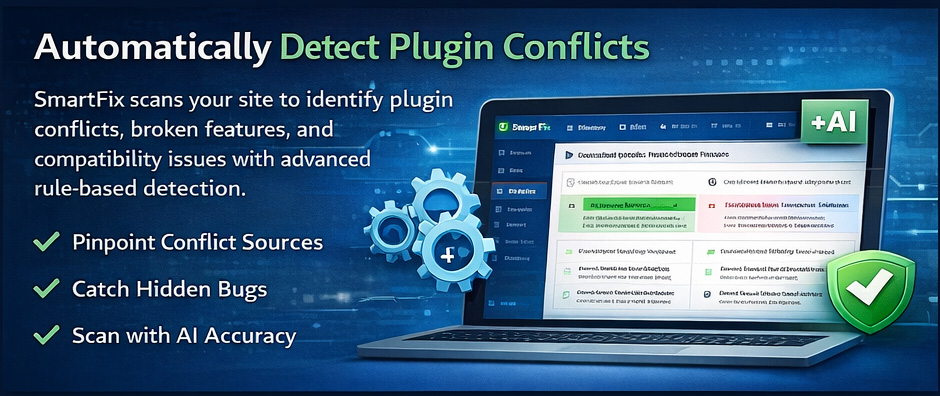
Results appear directly in your WordPress admin panel. No separate dashboard to log into. Conflicts are sorted by severity, color-coded, and each one includes the specific hook name, both plugin slugs, and a plain-English fix.
- One-click scan from the SmartFix menu
- Severity badges: Critical, High, Medium, Low
- Dismiss button for false positives
- Risk badges on the Plugins page
- Scan summary with stats and timing
Auto-Fix Engine
SmartFix doesn't just detect conflicts — it fixes them. The Auto-Fix Engine applies runtime compatibility shims without editing any plugin files. Every fix is deterministic, reversible, and auditable.
Level 1 — Safe auto-fix
Dequeue duplicate scripts and styles. Zero risk — the original copy remains.
Level 2 — Approval required
Reprioritize hook callbacks. Shows changes before applying.
Level 3 — Recommend only
Complex conflicts that need manual intervention.
Safety guarantees
- Never edits third-party plugin files
- Every fix is one-click reversible
- Fixes auto-expire when plugins update
- Critical hooks (checkout, auth, CRUD) blocked from auto-fix
// Auto-Fix Engine lifecycle
// 1. Pre-check: is this fix safe right now?
pre_check(strategy, context)
-> eligible: true
// 2. Apply: add shim to fix registry
apply(strategy, context)
-> wp_dequeue_script('cf7-select2')
at wp_enqueue_scripts, priority 999
// 3. Verify: did it actually work?
verify(strategy, context)
-> success: true
// 4. Rollback: undo if needed
rollback(fix_id)
-> removed from registry
original behavior restored on reload
// What we NEVER do:
// edit plugin files
// execute arbitrary code
// auto-fix checkout/auth hooks
Beyond basic conflict detection.
Security-aware conflict correlation and WooCommerce-specific deep scans for Pro+ users.
Vulnerability-Conflict Correlation
SmartFix cross-references detected conflicts against a cached CVE database. When a conflict involves a plugin with a known security vulnerability, it gets flagged with elevated priority. The CVE cache starts at 11 entries and grows as new advisories are published.
Example alert
[SECURITY] Plugin "contact-form-7" has a known CVE (severity: high). Conflict with "flamingo" may expose this vulnerability.
// Vulnerability-Conflict correlation
{
"type": "VULNERABILITY_CONFLICT",
"pluginA": "contact-form-7",
"pluginB": "flamingo",
"severity": 9,
"vulnerability": {
"cveId": "CVE-2026-1234",
"patchedIn": "5.9.2"
}
}
WooCommerce Deep Scan
Over 40% of WordPress sites run WooCommerce. SmartFix performs deep analysis of payment gateway registrations and checkout field filters. Two dedicated conflict types: gateway conflicts (duplicate Stripe/PayPal/etc.) and checkout conflicts (colliding checkout-field filters).
// WooCommerce conflict detected
{
"type": "GATEWAY_CONFLICT",
"pluginA": "woo-stripe-payment",
"pluginB": "payment-plugins-stripe",
"severity": 8,
"description":
"Duplicate Stripe gateway",
"suggestedFix":
"Deactivate one Stripe plugin"
}
What's coming next.
These features are actively being built. Subscribers get access the moment they ship — no plan upgrade required.
Pre-Install Compatibility Scan
Answer “will this plugin break my site?” before you install. Static analysis of a target plugin cross-referenced against your active stack, returning a Compatibility Score and predicted conflicts.
Scheduled Scans
Daily and weekly automated scans on top of the existing post-update auto-scans. Catches drift between plugin updates.
Email Alerts
Get emailed when a post-update scan finds a critical conflict or a new CVE affects one of your plugins. Webhook delivery is also in flight.
Multi-Site Monitoring Dashboard
Agency view of every client site at a glance — scan status, open conflicts, applied fixes, and CVE exposure. Built on the existing per-site dashboard API.
Team Knowledge Base
Shared notes, tagged false positives, and team-wide custom fix overrides. The API already stores the data — the customer-facing UI is in active development.
Ticketing Integrations
Push conflicts straight into Jira, Trello, or HubSpot as tickets. API routes are wired — end-to-end testing is in progress.
Orphan Data Scanner
Find options, transients, and database tables left behind by deleted plugins. Surfacing in the plugin admin once the UI is polished.